November 28, 2019, 5 min read, by Vinicius Bastos
What Is Google Home For? What It Is and What the App Does
What Google Home is for: what it is, what the app does, how Nest speakers control your home by voice, whether it's free, and what changes with Gemini.
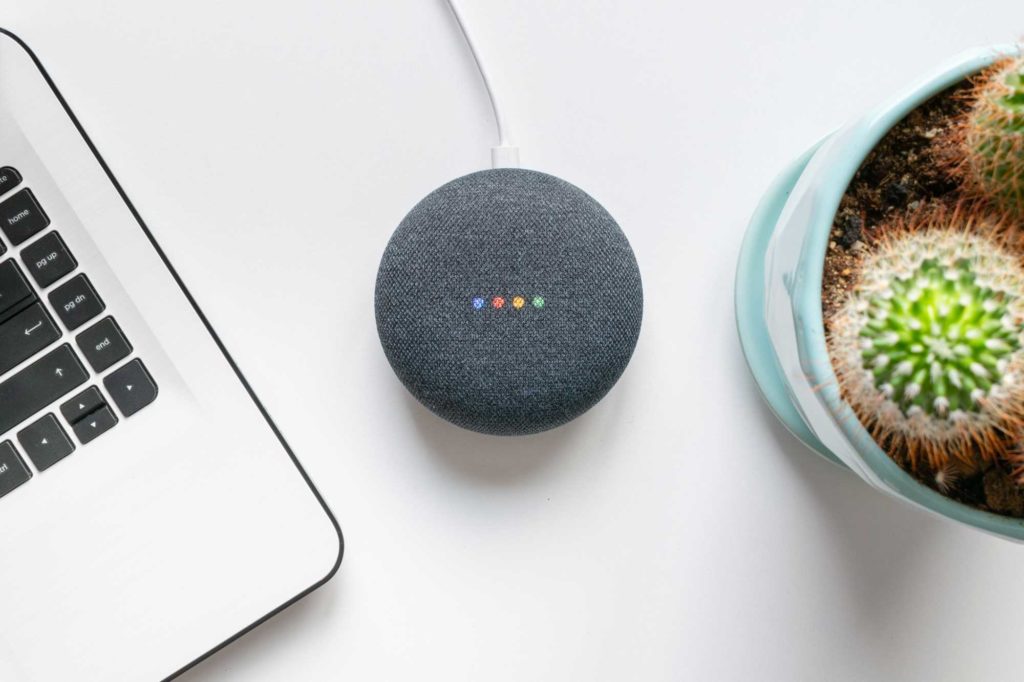
Smart speakers are among the big stars of modern home automation. Anyone who needs autonomous devices for a connected home also needs a system that's available at all times to manage everything, like Google Home.
In this regard, Google Home stands out as one of the main options, with amazing and useful features that make daily life more convenient.
What is Google Home?
Google Home is Google's smart home platform: the Google Home app and the brand's smart speakers and displays, from the Google Home and Google Nest lines. They come with the conversation and automation service called Google Assistant, which speaks Portuguese. The first Google speaker officially sold in Brazil was the Nest Mini, launched in November 2019. It's the direct competitor of Amazon's Alexa.
What is Google Home used for?
Google Home is used to control your connected home by voice or from your phone: turning on the lights, switching on the air conditioning, opening the curtains, viewing the cameras, playing music and videos, and creating routines that do several things with a single command. The speakers and displays respond to your voice, and the app brings all the devices in the house together on one screen.
What is the Google Home app for?
The Google Home app is used to set up, organize, and control your home's devices in one place: Google speakers and displays, the Google TV Streamer, cameras, thermostats, and compatible devices from other brands, such as smart bulbs and plugs. Devices are grouped by room and controlled with a tap on the screen.
The app, for Android, iPhone, and iPad, has three main tabs: Home, with all the devices and favorites; Activity, with the history of the home and the cameras; and Automations, where you create routines, such as turning on the porch light at sunset. To find out whether a device works with it, Google recommends looking for the "Works with Google Home" or "Works with Matter" badge (Google Home help).
Is Google Home free?
Yes, the Google Home app is free; what you pay for is the hardware, such as the speakers, the displays, and the home devices. In countries where Gemini for Home has already arrived, some advanced features, such as Gemini Live, require a Google Home Premium subscription, which, according to Google's help center, is not yet available in Brazil.
How does Google Home work?
Google Home works over your home internet: the speaker or display is connected to Wi-Fi, hears the voice command, and passes it to Google Assistant, which understands the request and triggers the right device. Devices from other brands are added to the app through the manufacturer's account, linked to Google Home, or directly, when they are Matter compatible.
Broadly speaking, its goal is to help automate people's routines, with integrated control over aspects of life and other devices. The speaker is meant to make some tasks easier and save users time, with fast and accurate service. There are many functions, so it's worth following the tips we'll go over to see what this device can do.
What changes with Gemini
And the assistant is changing. In October 2025, Google began replacing Google Assistant with Gemini for Home on compatible speakers and displays, with the promise of a more natural conversation, without having to memorize commands. As of October 2026, the switch had not yet reached Brazil or the Portuguese language, according to the Google help center: early access is available in 20 countries, such as the United States, Canada, Mexico, the United Kingdom, and Japan. In Brazil, Google Assistant is still the one answering on Nest speakers.
What can Google Home do?
Next, we'll look at some Google Home features and how to use them to make daily life easier.
1. Control other devices
Through the Google Home app or by voice, you control lights, plugs, curtains, air conditioning, and other compatible devices in your home. On the TV, control is done through Google Cast, built into Chromecast and many TVs: with it, Google Home lets you play music and videos and open apps to watch movies and shows quickly and comfortably. Chromecast was discontinued in 2024 and replaced by the Google TV Streamer, but the devices already in people's homes keep working.
2. Sync music across multiple rooms
With speakers in different parts of the house, you can sync the music being played through integration with music apps. Just create a speaker group in the Google Home app: you select a track, and it plays at the same time in every room in the group. For higher-quality sound in several rooms, there are also multiroom audio systems integrated with the automation.
3. Make hands-free calls
Another advantage is making calls without having to dial numbers or use your hands. With a command like "Ok Google, call" followed by the contact's name, the user calls someone through Google Meet and talks directly, with no extra effort.
4. Recognize multiple voices
Another differentiator of Google's assistant is the ability to register different voices to control the device, with Voice Match. You can register up to six different voices, and the system can identify each one and give personalized answers, such as each person's calendar and music.
5. Work as an intercom
The speakers can work as an intercom: with the Broadcast feature, a user speaks a message, and the system delivers it to the speakers and displays in the other rooms of the house, automatically and quickly.
Understanding what Google Home can do is essential for anyone interested in home automation. It's also worth mentioning the integrations with services and devices such as Netflix, Spotify, and TVs from brands like LG and Sony, and the new features arriving with Gemini. That's why it's essential to stay up to date on trends.
To stay in the loop, follow us on social media. We're on Facebook, Instagram, X, and YouTube.